 Quote Cart
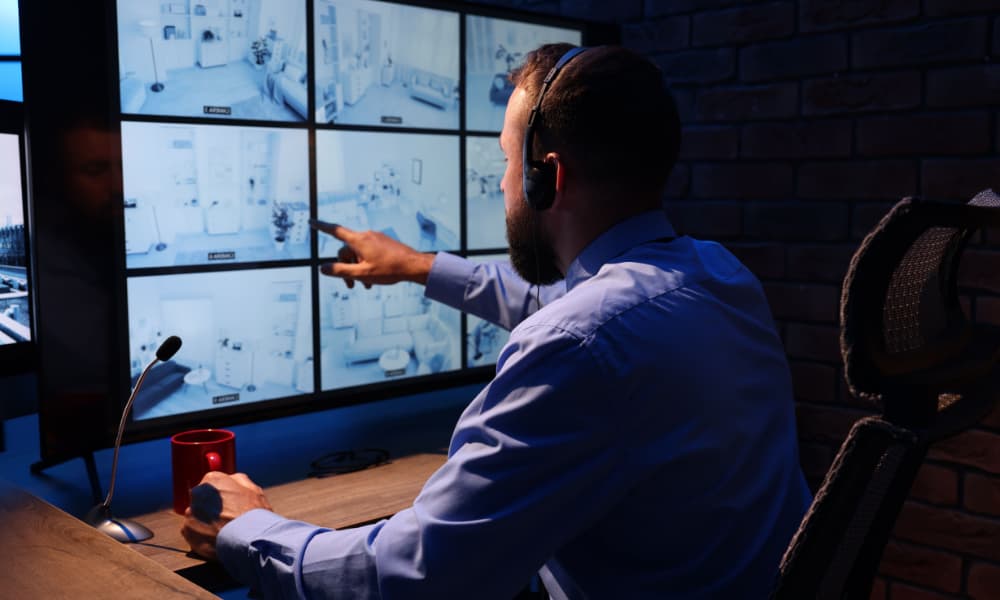
Improve security readiness with IT security and physical security integration that supports connected systems, stronger resilience, and efficient protection strategies.
Key takeaways
- IT security and physical security now operate as one connected system.
- Networks, power, storage, and connectivity shape overall system reliability.
- Business requirements should guide infrastructure and technology decisions.
- Cybersecurity and resilience support secure, continuous security operations.
- Scalable infrastructure makes future expansion easier to manage.
Security systems have come a long way. Not long ago, cameras, access control systems, and visitor management tools often worked separately. Facilities teams handled the hardware, security teams monitored activity, and IT only became involved when a connection or software issue came up.
That’s no longer the case. Today, physical security systems rely on shared networks, cloud platforms, storage, user identities, software updates, and ongoing monitoring. So, if IT security and physical security are planned separately, small decisions can create bigger problems later.
You may end up with systems that don’t integrate properly, networks that struggle under the added demand, or security devices that are difficult to manage and protect. Besides, fixing those issues after installation often costs more and delays the entire project.
That’s why many organizations are bringing IT, facilities, and security teams into the same planning process. According to Wavestore research, 87% of IT leaders are actively evaluating a move to a unified security platform. The goal is to create a connected security solution that’s easier to manage, support, and scale.
Keep reading to understand how the right infrastructure can support reliable IT security and physical security integration.
What Are the Best IT Infrastructure Solutions for Physical Security Systems?
The best IT infrastructure solutions for physical security systems create a reliable foundation for every connected device. That means having the right network capacity, power, storage, cybersecurity controls, and system management in place before cameras, access control systems, or other security technologies are installed.
In many cases, a hybrid approach offers the best balance. It allows critical functions, such as video recording and door access, to remain on-site for speed and reliability while using cloud services for centralized management, long-term storage, and visibility across multiple locations.
However, there's no one-size-fits-all solution. The right infrastructure depends on your building, operational requirements, compliance needs, and future growth plans. That's why infrastructure planning should always come before product selection, helping you avoid costly redesigns and ensuring your security systems can continue to support the business as your needs evolve.
Why IT Infrastructure for Physical Security Must Be Planned as One System
If you’re investing in new security systems, it helps to look beyond the individual devices. A camera, card reader, or intercom may seem like a standalone purchase, but each one depends on the same IT infrastructure that supports the rest of your business.
Modern physical security systems now rely on:
- Transmission control protocol/internet protocol (TCP/IP) and PoE
- Enterprise identity platforms
- Cloud and on-premises applications
- Software and firmware updates
- Centralized logging and monitoring
- Storage and evidence workflows
So, when one part of that infrastructure isn’t properly planned, the entire security system can be affected. You may face performance issues, weaker access controls, or systems that become difficult to support over time.
That’s why IT, facilities, and security teams should work together from the beginning. They need to agree on how systems will connect, who will manage them, and how they’ll be maintained as business needs change.
Any device that unlocks a door, records footage, or stores sensitive information should be treated like a critical business asset. That approach makes the wider security environment easier to manage, protect, and support.
Start With Business Requirements, Not Individual Devices
During a physical security planning, it's easy to start by comparing cameras, access control platforms, or video management systems. However, choosing the technology first can lead to expensive changes later if the infrastructure or operational requirements haven't been fully considered.
You should start with what the business actually needs the security system to achieve. Bringing IT, facilities, and security teams together early helps everyone agree on the objectives before products are shortlisted or purchased.
That planning conversation should cover these five items:
- Desired outcomes: Define whether the priority is deterrence, investigations, compliance, remote management, or multisite visibility.
- Systems in scope: Identify the technologies you'll need, including video surveillance, access control, visitor management, intercoms, analytics, and emergency communications.
- Retention requirements: Decide how long video should be stored, who needs access to evidence, and how it will be managed.
- Ownership responsibilities: Clarify who will manage the network, identity platforms, cloud services, ongoing support, and system maintenance.
- Recovery objectives: Establish how quickly recording, door access, monitoring, and badge issuance should be restored after an outage.
Once these decisions are made, selecting the right technology becomes much easier. Besides, documenting them early helps prevent design conflicts, unexpected costs, and deployment delays later in the project.
It's also worth reviewing the project from four perspectives: the physical site layout, the logical network design, how data and evidence will flow through the system, and how the infrastructure will continue operating during an outage.
Physical Security Network Design: What Must Be Decided Before Deployment
Once you've agreed on the business requirements, the next step is ensuring the infrastructure can support them. That's where network design becomes critical. Even the best security equipment won't perform as expected if the supporting infrastructure wasn't designed to handle it.
Before installation begins, project teams should confirm:
- Physical infrastructure: Review cable routes, rack space, environmental protection, and cooling requirements.
- Power capacity: Confirm there's enough power over ethernet (PoE) or PoE++ capacity for cameras, readers, controllers, intercoms, heaters, and illuminators.
- Network capacity: Assess switch capacity, fiber uplinks, wide area network (WAN) performance, and cloud connectivity requirements.
- Security controls: Define virtual local area networks (VLANs), routing policies, firewalls, access controls, domain name system (DNS), time synchronization, and certificate management.
- Resilience planning: Determine uninterruptible power supply (UPS) runtime and backup power requirements for critical systems.
It's also important to remember that not all network traffic behaves the same way. Recording video places different demands on the network than operators viewing live or recorded footage. Planning for both helps prevent performance issues as the system grows.
Ultimately, the goal isn't simply to get devices online. It's to build an infrastructure that keeps your security systems reliable, resilient, and ready to support the business for years to come.
Size Bandwidth, Storage, and Architecture Together
Choosing the right storage isn't simply a matter of counting cameras. Every deployment is different, and several factors affect how much bandwidth and storage your security system will actually need.
For example, camera resolution is only part of the picture. Frame rate, recording schedules, scene activity, compression settings, and video retention periods all influence how much data your infrastructure must process and store.
A good planning process should include these steps:
- Estimate sustained recording bandwidth.
- Convert bandwidth requirements into daily storage needs.
- Apply the required video retention period.
- Allow additional capacity for bitrate changes, indexing, failover, and future growth.
Planning ahead makes a significant difference. A 50-camera deployment may require tens of terabytes of storage, while enterprise environments can quickly grow into petabyte-scale infrastructure. Of course, these figures are planning examples rather than fixed sizing rules.
You'll also need to decide where your security workloads should live. Most organizations choose one of four approaches:
- On-premises: Keeps recording and management local, offering lower latency and greater control, but requires internal infrastructure and ongoing maintenance.
- Cloud: Simplifies centralized management across multiple sites, although performance depends on reliable WAN connectivity and recurring subscription costs.
- Hybrid: Combines local recording with cloud-based management, archives, and remote visibility to balance performance and flexibility.
- Edge-heavy: Stores and processes data closer to the devices, reducing network traffic while placing greater emphasis on device monitoring and lifecycle management.
No single architecture is right for every organization. The best choice depends on your operational priorities, compliance requirements, available resources, and long-term growth plans. According to Flexera, 89% of organizations now have a multi-cloud strategy, with 73% operating hybrid cloud environments.
Cybersecurity and Physical Security: Controls That Protect the Entire System
As physical security systems become more connected, cybersecurity becomes part of the conversation, too. Every camera, controller, recorder, and management platform creates another endpoint that needs to be protected throughout its lifecycle.
Building that protection starts with a few essential controls:
- Accurate asset inventory and device ownership
- Network segmentation and least-privilege communication
- Certificate-based device trust
- Encrypted administration and data transmission
- Enterprise single sign-on (SSO), multifactor authentication (MFA), and role-based access
- Controlled firmware and configuration updates
- Centralized logging, health monitoring, and alerting
- Secure decommissioning and credential revocation
These practices help reduce risk while making security environments easier to manage over time. They're especially important when staff responsibilities change, contractors leave a project, or older devices are replaced.
It's also worth considering open standards such as Open Network Video Interface Forum (ONVIF) Profile T and Open Supervised Device Protocol (OSDP) Secure Channel. They improve interoperability between systems today while giving your organization greater flexibility when it's time to expand or replace equipment in the future.
Design for Uptime, Recovery, and Future Expansion
Installing backup equipment is only one part of resilience. The bigger question is whether your security systems can continue operating when something unexpected happens.
Power failures, network outages, hardware faults, and server maintenance shouldn't bring critical security operations to a standstill. That's why resilience needs to be designed into the infrastructure from the beginning.
A resilient deployment should consider:
- Recording and application failover
- Storage redundancy
- Edge buffering during WAN or server outages
- Redundant uplinks where required
- UPS-backed switches, controllers, and recorders
- Defined recovery procedures
- Capacity for additional devices, higher resolutions, and longer retention periods
Looking ahead also makes future expansion much easier. Clear naming standards, structured internet protocol (IP) addressing, identity integration, centralized monitoring, and lifecycle management all help security systems grow without creating unnecessary complexity.
Build Physical Security on a Strong Infrastructure Foundation
The success of any physical security project doesn't start with selecting cameras or access control systems. It starts with building the infrastructure that allows every connected component to work together reliably.
When IT, facilities, and security teams plan as one, organizations are better positioned to improve system performance, strengthen cybersecurity, simplify management, and support future growth without costly redesigns.
At Unisol, we help organizations evaluate network infrastructure, storage, resilience, access management, and system integration requirements before deployment begins. That planning-first approach helps reduce risk, avoid expensive surprises, and create security environments that continue supporting the business for years to come.
If you're planning your next physical security project, contact Unisol to discuss your infrastructure requirements and solution options.
